
Built in-house
AI agents do the routine work, and your editors approve it in a click.
AI agents take on the routine work of publishing, from first drafts to tags and photo captions. Your editors start from work that is already done, and spend their time where their judgement counts.
An agent's afternoon on Matchday
Time: 14:45
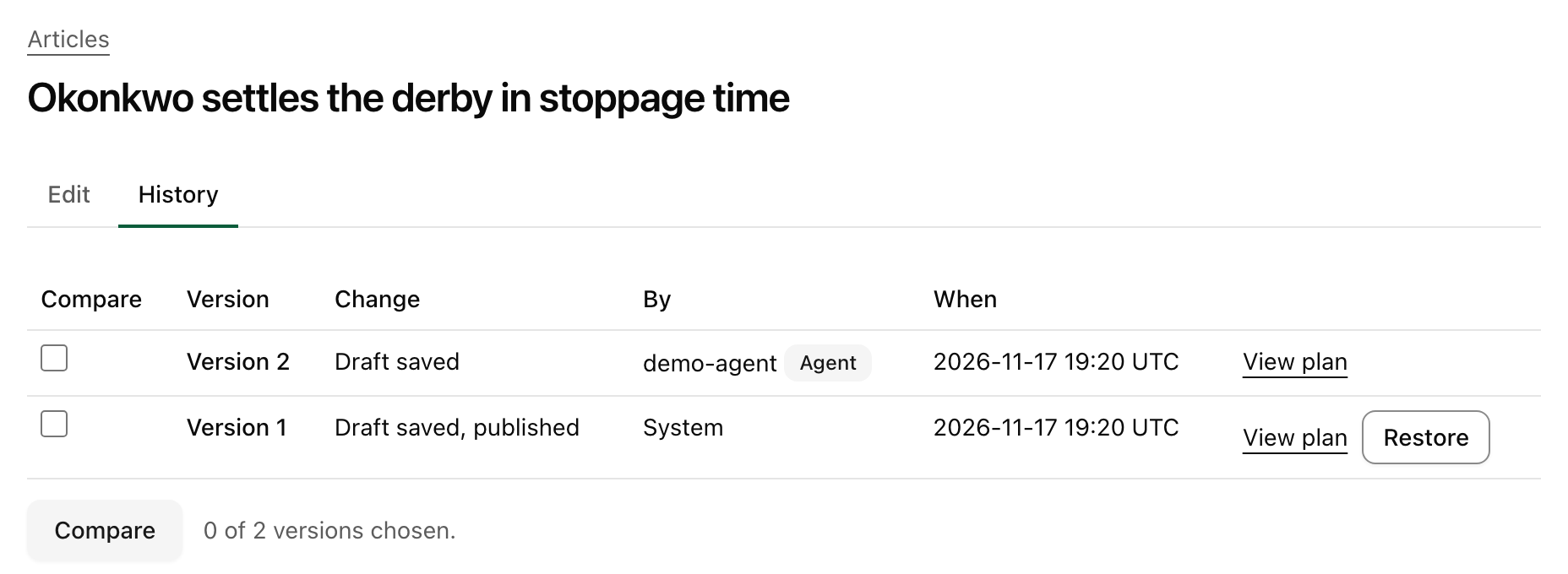
- 14:02Fixed a typo in the draft of "Okonkwo settles the derby in stoppage time".Draft saved
- 14:09Wrote a first draft of the round 11 preview.Draft saved
- 14:15Added the tag Youth to 18 published match reports, as one change.
- 14:22Published a new injury list in a live article.
- 14:31Published the Seo Ha-jun interview.
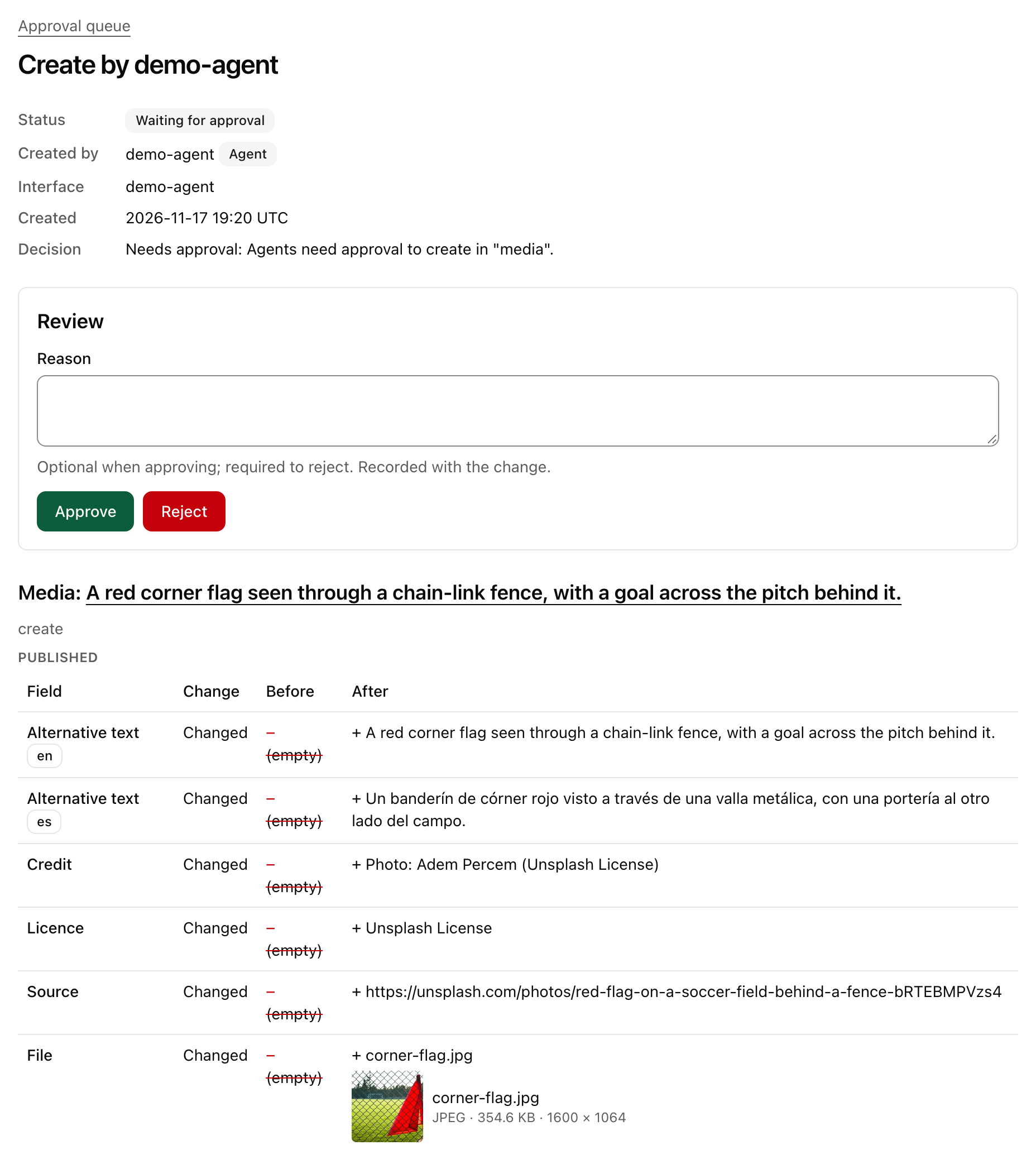
- 14:38Uploaded a photo of a corner flag, with alt text in English and Spanish.
- 14:45Deleted a duplicate of the round 10 table.
An illustration of the rules. The screens further down are from the system itself.
Drafting
Agents do the routine work before an editor opens the article.
Agents write first drafts, fix typos, add tags, and fill in the Spanish version of a field. Their drafts save at once, so an editor starts from a draft that is ready to read.
Photos arrive with alt text in English and Spanish, a credit, and a licence already filled in.
Search
Every article goes live ready for search engines and AI assistants.
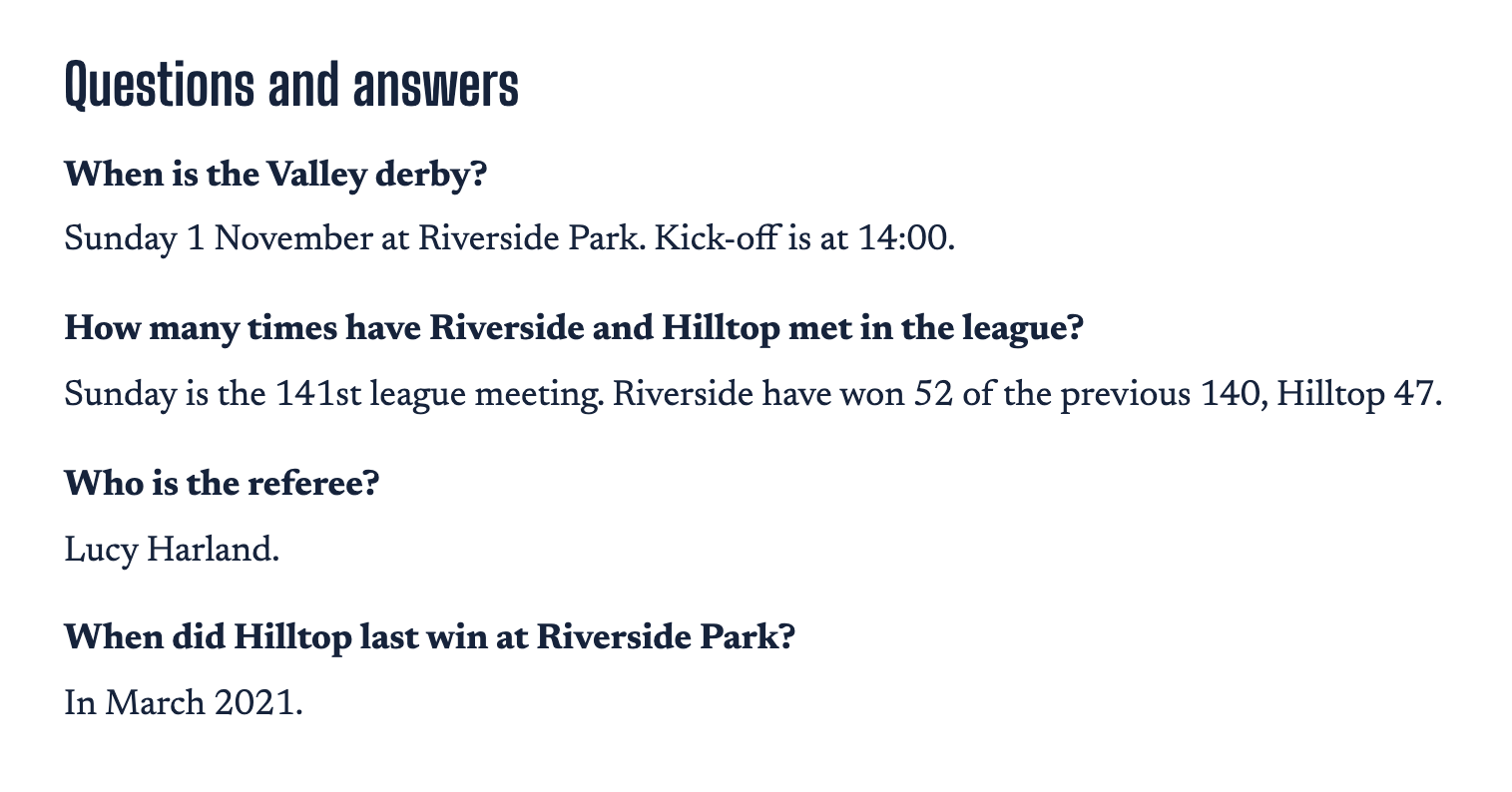
Each article gets a clean address made from its title. With each draft, an agent writes the SEO title and description in English and Spanish, within their length limits, and the questions and answers at the end of the article.
The site turns them into page metadata, structured data for the article and its questions and answers, and a sitemap: what search engines and AI assistants read when they decide what to show and quote.

Reviewing
Reviewing an agent's work takes a click.
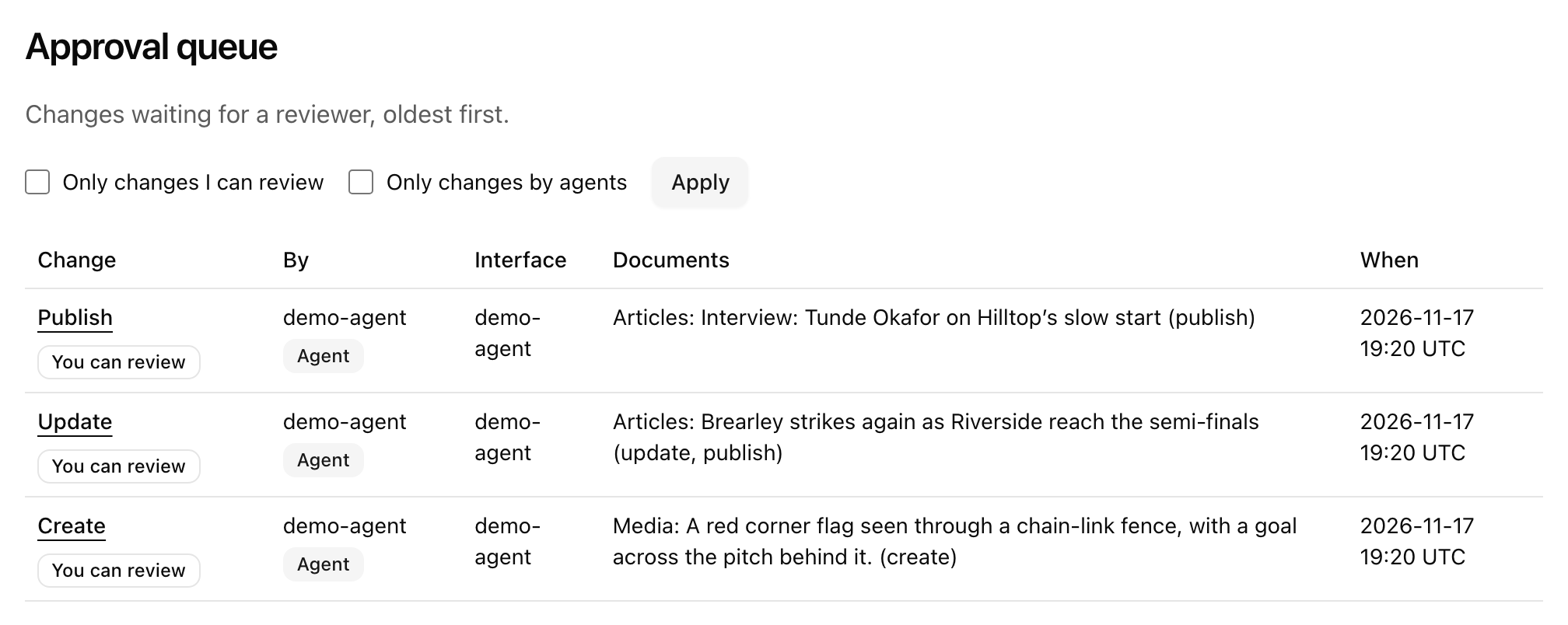
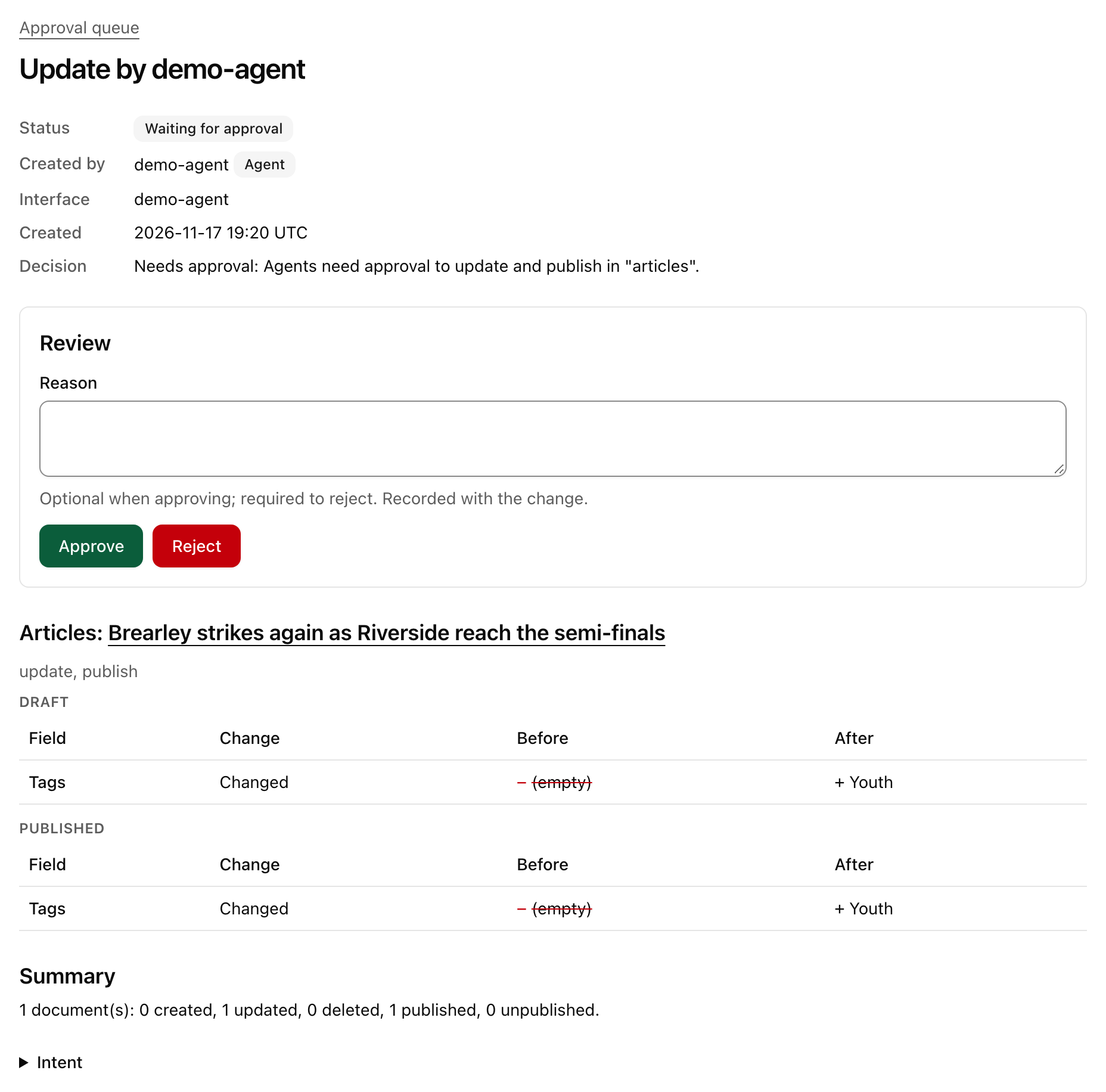
The approval queue shows what each agent did, and each change shows only the fields it touches, before and after. Approving takes one click, with an optional note.
An agent can retag 18 articles in one change, so the editor reviews it once instead of 18 times.
Editors get an email or a Slack message when a change is waiting, and can open it on the real site, in its final design, before approving.
An approved article can go live, or come down, at a time you set. Changes that need more than one sign-off, such as a legal check, pass through each step in order.
Walkthrough
One approval, from the queue to the public site.
An agent has asked to publish an interview. An editor reads the change, approves it, and the interview is live.
36 seconds, no sound. Recorded on Matchday, the invented football league we test the system on. Its clubs, people, and results are fictional.
Trust
Routine changes can skip the queue entirely.
Once an agent has earned it, you can let its tag fixes or its publishing go live without review. The queue then holds only the changes that need an editor's judgement.
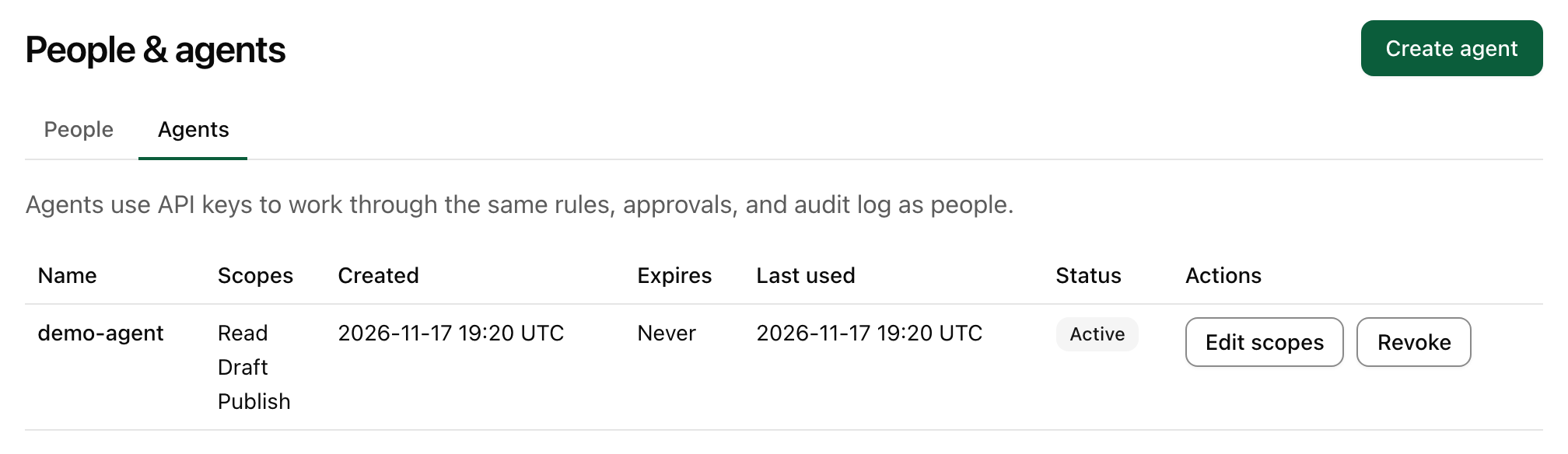
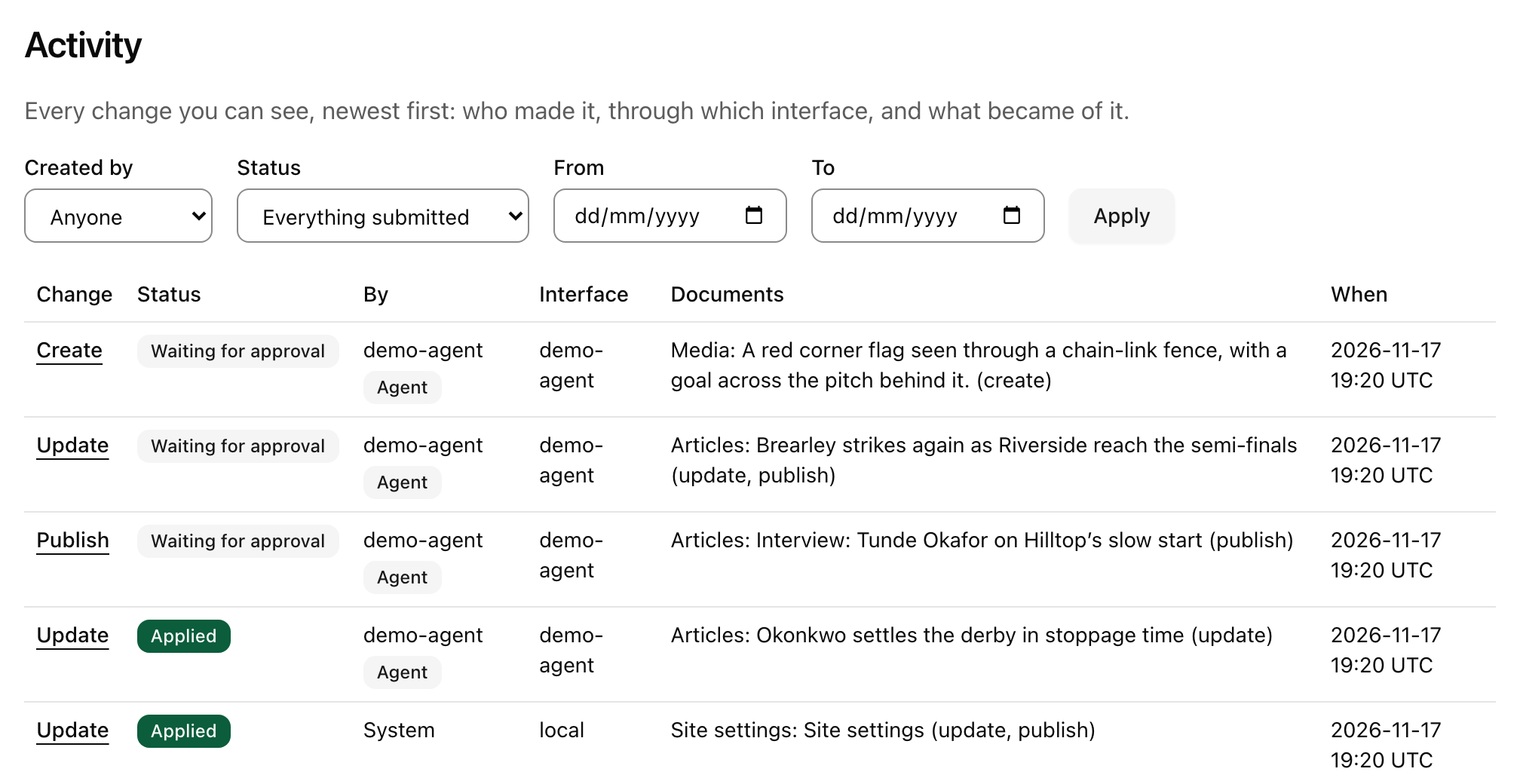
Each agent has its own key and permissions, which an admin changes from one screen. The activity log shows everything each agent did.
Your team can connect its own agents too, such as Claude, through the API or MCP. They work under the same permissions and approvals as ours.
Status
- Ready to try
- status
- 1 click
- to approve an agent's change
- 18 articles
- retagged in one change
It is ready to try. On a first call we agree your content types and who may do what. We then set the system up with your content and build your first agent, with the limits you choose.
Book a callRelated
Time-sensitive editorial content at scaleA related engagement: publish-ready articles at volume for a global media platform.
What could we improve in six weeks?
Bring a workflow, a product idea, or an existing AI initiative. We’ll explore where a focused engagement could make a measurable difference.